
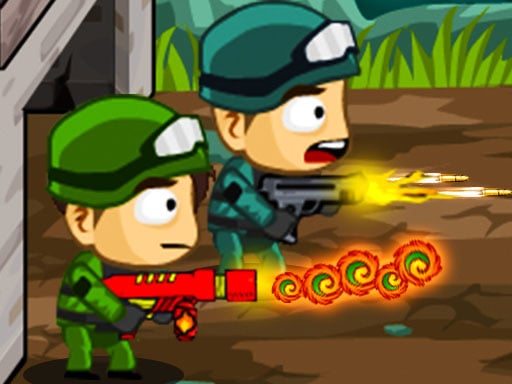
About This Game
Zombie Parade Defense is a SHOOTING game that runs right in your browser. No need to download anything or have a powerful computer — just open and play.
Zombie Parade Defense is a tower defense game that can be played by 1 Player or 2 Player. You must protect the building from the zombies that come in waves. With each wave, the zombies are getting stronger. That's why you should take advantage of Power-ups and improve your weapons. Whether you play 1 Player or 2 Player, the goal is to keep the zombies away from the building. If you can survive a total of 10 waves, you win the game!
Zombie Parade Defense doesn't ask for your money or your hard drive space. What you see is what you get — pure gameplay. Easy to start, tough to walk away from. Players from all over jump in, share their tricks, and keep things lively.
Every time you play Zombie Parade Defense, it's a little different. The situations change, the choices you make actually matter, and no two sessions feel the same. The more rounds you run, the more you'll pick up. Plus it loads fast, runs smooth, and works just fine even on older or cheaper devices.
How To Play
You can play on anything — laptop, phone, tablet, whatever. Use a mouse on desktop, or just tap and swipe on touchscreens. Give it a minute and it'll feel completely natural.
Quick Start Guide
To start playing
Zombie Parade Defense , just hit the play button up above. That's it — no sign-up, no install.
The game
works on any modern browser and will automatically fit your screen size.
Game Controls:
Player 1:
Move: "W,A,S,D"
Switch Gun: "Q"
Go in/out Base: "F"
Player 2:
Move: "ARROW KEYS"
Switch Gun: "P"
Go in/out Base: "L"
P.S: Use "MOUSE" to activate Weapons and Power-ups.
Tips to get better:
You don't have to figure everything out in the first five minutes. Take your time, try things out,
and see what
works. The game gives you visual and sound feedback — pay attention to that and you'll catch on
fast. Above all,
just have fun with it.
Something not working?
Make sure JavaScript is turned on and your browser supports HTML5. On mobile, a Wi-Fi connection
works best. If
something looks weird, try refreshing the page — that usually does the trick.
Related games

Basketball Kings 2024

The Genius Crow

Space Survival Rainbow Friends Monster

K Pop Demon Hunters Nail Studio
Homescapes

Rapid Match

M2 BLOCKS 2048

Mega Car Stunt Game

Bus Park 3D

Fish tank Aquarium Game

Master Archer 2025

Bus Route

Mega Ramps Bike Stunt Game

Kids Cartoon Puzzle

Piano Kids Music And Songs

Space War Symphony

Idle Bathroom Empire Tycoon

Animal Bus Traffic Jam

Bubble Pop Fairyland

Chicken Banana Pen

Suika Game 2

Marble Maze Game

Draw with Pencils Coloring Book!

Digit Hunter